
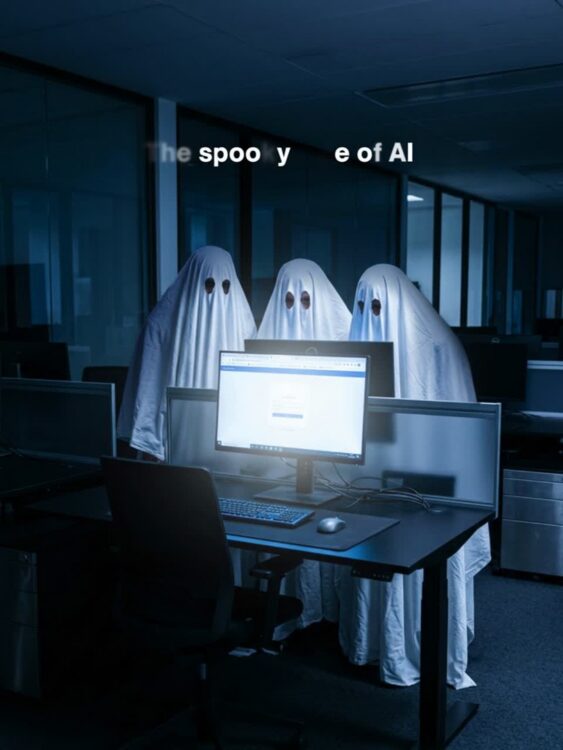
Halloween is the season for things that aren’t quite what they seem. But for small business owners in Billings, MT, some of the scariest surprises aren’t hiding behind a costume. They’re showing up in your inbox, calling your office, and quietly making their way into everyday business operations. What if the next threat to your business looked and sounded exactly like someone you trust?
Artificial intelligence (AI) is changing how businesses operate. From automating routine tasks to improving productivity, AI offers opportunities for small businesses to work smarter.
Unfortunately, cybercriminals are using the same technology to make scams more convincing, more personalized, and harder to recognize.
For businesses with 5 to 50 employees, one fraudulent payment, compromised email account, or accidental exposure of sensitive information could cause significant financial and operational damage.
Here’s what makes these threats particularly concerning: Your employees might not realize anything is wrong until it’s too late.
The good news? You don’t need an expensive IT department or a team of cybersecurity experts to reduce your risk.
You need to understand how these scams work, establish a few important safeguards, and make sure your employees know what to do when something doesn’t seem right.
Let’s look at three AI-powered threats every Billings business owner should know about.
1. AI Voice Cloning: What If That Call From Your Boss Isn’t Really Your Boss?
Imagine your office manager receives a phone call from someone who sounds exactly like you.
The caller says an important vendor payment needs to be made immediately. The voice sounds familiar. The request seems reasonable. The caller even knows details about your business.
There’s just one problem.
It’s not you.
AI-powered voice cloning can allow cybercriminals to imitate someone’s voice using recorded audio. Deepfake technology can also generate realistic-looking video or audio designed to convince employees that fraudulent requests are legitimate.
For smaller businesses where employees know and trust each other, these scams can be especially convincing.
How to Protect Your Business From AI Impersonation
Rather than expecting employees to recognize every fake voice or video, put verification procedures in place.
- Verify unexpected payment requests. Require employees to call a known phone number before approving unusual payments or banking changes.
- Require two-person approval. Significant financial transactions should be reviewed by a second authorized employee.
- Enable multi-factor authentication (MFA). Add extra protection to business email, financial accounts, and critical systems.
- Question urgent requests. Teach employees to slow down when someone pressures them to act immediately.
The takeaway: Hearing a familiar voice is no longer enough to prove someone’s identity.
A simple verification process could prevent a very expensive mistake.
2. AI Phishing Emails: Would Your Employees Recognize a Perfectly Written Scam?
Remember when suspicious emails were easy to spot?
They often contained spelling mistakes, awkward sentences, strange formatting, or obvious requests for personal information.
Those warning signs aren’t nearly as reliable today.
AI allows cybercriminals to create professional-looking emails that closely resemble legitimate business communications.
These messages can reference real vendors, employees, or business activities. They may even sound exactly like the emails your team receives every day.
Consider this example.
Your bookkeeper receives an email that appears to come from a trusted supplier. The message explains that the supplier has changed banks and asks your business to update its payment information before processing the next invoice.
The email is well-written. The company name is correct. The request sounds routine.
But the new banking information belongs to a scammer.
If your employee makes the change without verifying it, your business could lose thousands of dollars.
How to Reduce AI Phishing Risks
Effective cybersecurity awareness training should focus on recognizing suspicious requests, not just poorly written emails.
- Verify banking changes independently. Contact vendors using previously established phone numbers.
- Avoid unexpected login links. Access business accounts through trusted websites or saved bookmarks.
- Question requests for confidential information. Never share passwords, financial records, or sensitive business information without proper verification.
- Make reporting easy. Employees should know exactly whom to contact when something seems suspicious.
- Use email security protections. Spam filtering, phishing detection, and properly configured email authentication can help reduce exposure.
For Billings businesses with 5–50 employees, employee cybersecurity awareness can be one of the most effective ways to reduce everyday security risks.
Your team doesn’t need to identify every sophisticated scam.
They need to know when to stop, verify, and ask questions.
3. Unapproved AI Tools: Is Your Business Information Going Somewhere It Shouldn’t?
AI tools are becoming part of everyday business operations.
Employees use them to write emails, summarize documents, analyze spreadsheets, create marketing content, and complete tasks faster.
And in many cases, these tools can be extremely helpful.
But here’s a question every business owner should ask:
Do you know what company information your employees are sharing with AI applications?
Imagine an employee using a free AI tool to summarize a customer report, review financial information, or analyze payroll data.
Without realizing it, they may be uploading confidential business information into an application your company hasn’t reviewed or approved.
Depending on the tool’s privacy policies and settings, that information could be stored, processed by third parties, or used in ways your business didn’t intend.
This is an example of Shadow IT, which happens when employees use software or online services without company approval.
How to Use AI Safely in Your Small Business
You don’t need to prohibit AI to protect your company.
Instead, establish clear guidelines for using it responsibly.
- Approve AI applications. Identify which tools employees are allowed to use for business purposes.
- Protect confidential information. Don’t allow sensitive customer records, payroll information, passwords, or financial documents to be entered into unapproved AI tools.
- Review privacy settings. Understand how approved applications store and process information.
- Create an AI usage policy. Give employees simple rules about what information they can and cannot share.
- Provide basic training. Help your team understand the risks of exposing confidential information.
For small businesses, an AI usage policy doesn’t have to be complicated.
Even a simple, clearly communicated set of rules can help prevent accidental data exposure.
4. Why AI Cybersecurity Matters for Billings Small Businesses
It’s tempting to believe cybercriminals are primarily interested in large corporations.
But small businesses can also be attractive targets because they often have fewer dedicated IT resources and less formal security procedures.
Think about how your company operates.
Your office manager might handle payroll, vendor payments, and employee records.
Your bookkeeper may have access to important financial accounts.
Your employees probably rely on Microsoft 365, email, shared files, and cloud applications to get work done.
One compromised account or fraudulent request could affect multiple areas of your business.
For a company with 5–50 employees, a cybersecurity incident could result in:
- Financial losses from fraudulent payments
- Unexpected downtime and lost productivity
- Exposure of customer or employee information
- Costly data recovery efforts
- Disruption of daily operations
- Damage to customer relationships and trust
And unlike larger organizations, your business may not have a dedicated cybersecurity team watching for these threats.
That’s why proactive IT support and cybersecurity services matter.
The goal isn’t to make technology more complicated or expensive.
It’s to help your business operate safely, protect important information, and avoid preventable disruptions.
5. Five Simple Ways to Strengthen Your Business Cybersecurity
You don’t have to overhaul your entire IT environment to improve security.
Start with these five practical steps.
1. Enable multi-factor authentication.
Protect business email, financial applications, and other critical accounts with an additional verification step.
2. Establish payment verification procedures.
Require independent confirmation before changing vendor banking details or processing unusual financial requests.
3. Review how employees are using AI.
Find out which AI tools your team uses and establish clear guidelines for protecting sensitive business information.
4. Verify your data backups.
Make sure important business information is backed up regularly and that your backups can actually be restored when needed.
5. Review your cybersecurity protections with an IT professional.
An experienced IT partner can help identify vulnerabilities, prioritize improvements, and recommend protections that fit your business and budget.
These steps won’t eliminate every threat, but they can help reduce common cybersecurity risks without overwhelming your employees.
Is Your Billings Business Really Protected Against AI Cyber Threats?
AI technology is advancing quickly, and cybercriminals are finding new ways to take advantage of it.
The most concerning part isn’t necessarily how sophisticated these scams have become.
It’s how ordinary they can appear.
A familiar voice. A routine email. A helpful online tool.
Any one of them could introduce a security risk if your business doesn’t have the right safeguards in place.
For Billings small business owners with 5–50 employees, protecting your company starts with asking the right questions:
- Would your employees recognize an unusual financial request?
- Do you know which AI tools your team is using?
- Is your confidential business information properly protected?
- Would you know what to do if an employee’s account were compromised?
If you’re not completely confident in your answers, that’s a good reason to take a closer look.
What’s Hiding in Your Business Technology? Let’s Find Out.
This Halloween, the biggest cybersecurity threat to your business probably won’t announce itself with a scary costume. It may arrive as a perfectly written email, a familiar voice, or an AI tool your employees use every day. The real question is: Would your business recognize the danger before it becomes an expensive problem?
Don’t wait for a cyberattack, financial loss, or data breach to discover where your security is vulnerable.
Schedule a 10-minute discovery call with NextX to discuss your current cybersecurity approach and identify opportunities for improvement.
We’ll discuss how your employees are using AI, how sensitive financial requests are verified, and whether your current cybersecurity protections are keeping up with today’s threats.
You’ll gain a clearer understanding of potential risks and practical next steps to help protect your business.
Because the scariest cybersecurity surprises are the ones you never saw coming.
Call 406-671-7171 or visit nextx.net.
NextX — Your Managed Technology Partner.
Free IT Consultation | NextX Communications, Inc. | Billings, MT